Workspaces & Team Collaboration
Keep each client or project in its own workspace, with its own forms, settings and team.
What is a Formbold workspace?
A workspace is a separate space for one client, project or department. Each one has its own forms, submissions, settings and team. If you build sites for clients, make one workspace per client and you'll never send Client A's leads to Client B.
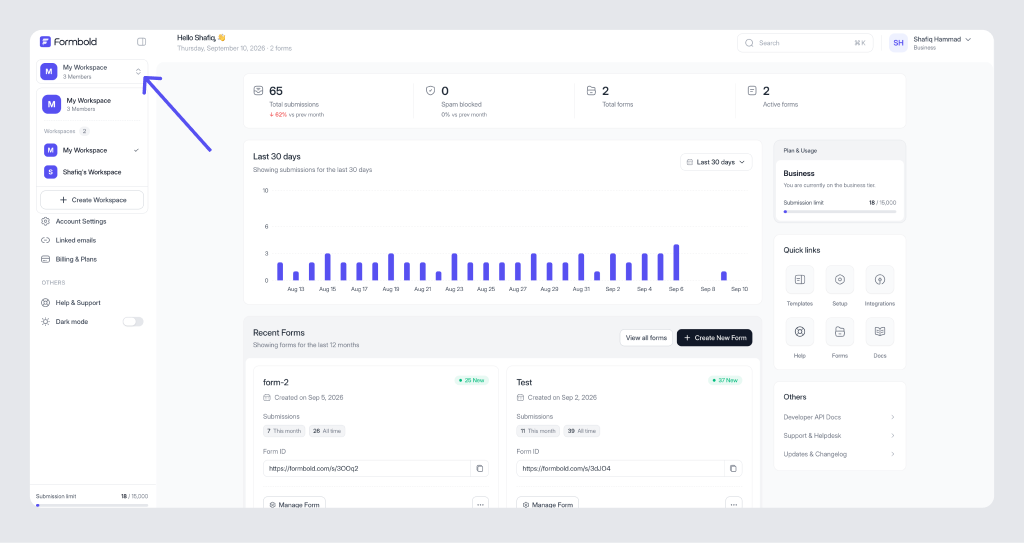
How many workspaces and team members do I get?
| Plan | Workspaces | Team members |
|---|---|---|
| Free | 1 | 1 |
| Starter | 1 | 2 |
| Premium | 5 | 5 |
| Business | Unlimited | 20 |
The Manage Team page shows how many seats you've used, like "01/05" on Premium.
How do I move a form to another workspace?
Open the form, go to Settings, and use Move Form in the General card. Pick the target workspace and confirm. Afterwards, open the form's Form Setup tab and check that the endpoint matches what your website posts to.
How do I work with my team?
Invite people from Manage Team with their email address and a role, Admin or Member. Everyone logs in with their own account, so nobody shares passwords. Details are in Team Roles.
What can I change for each workspace?
Name, logo, description and time zone, plus Workspace Activation, Transfer Ownership and Delete Workspace. See Workspace Settings.
Last updated: October 19, 2026