Documentation
Mailchimp Integration
Automatically sync newsletter subscribers and lead capture forms with your Mailchimp audiences.
Overview
Grow your email list from your website forms. Connect Formbold to Mailchimp and each new submission is added to your audience.
Step 1: Generate a Mailchimp API Key
- Log in to your Mailchimp account.
- Click your profile avatar in the bottom left corner > Account & billing > Extras > API keys.
- Click 'Create A Key', give it a label (e.g. 'Formbold'), and copy the key.
Step 2: Configure Audience Fields & Merge Tags
In Mailchimp, go to Audience > Audience dashboard > Manage Audience > Settings > Audience fields and *|MERGE|* tags. Verify that your fields match your form inputs (e.g., EMAIL, FNAME, LNAME).
Step 3: Connect and Map in Formbold
- In Formbold, go to Integrations > click 'Mailchimp'.
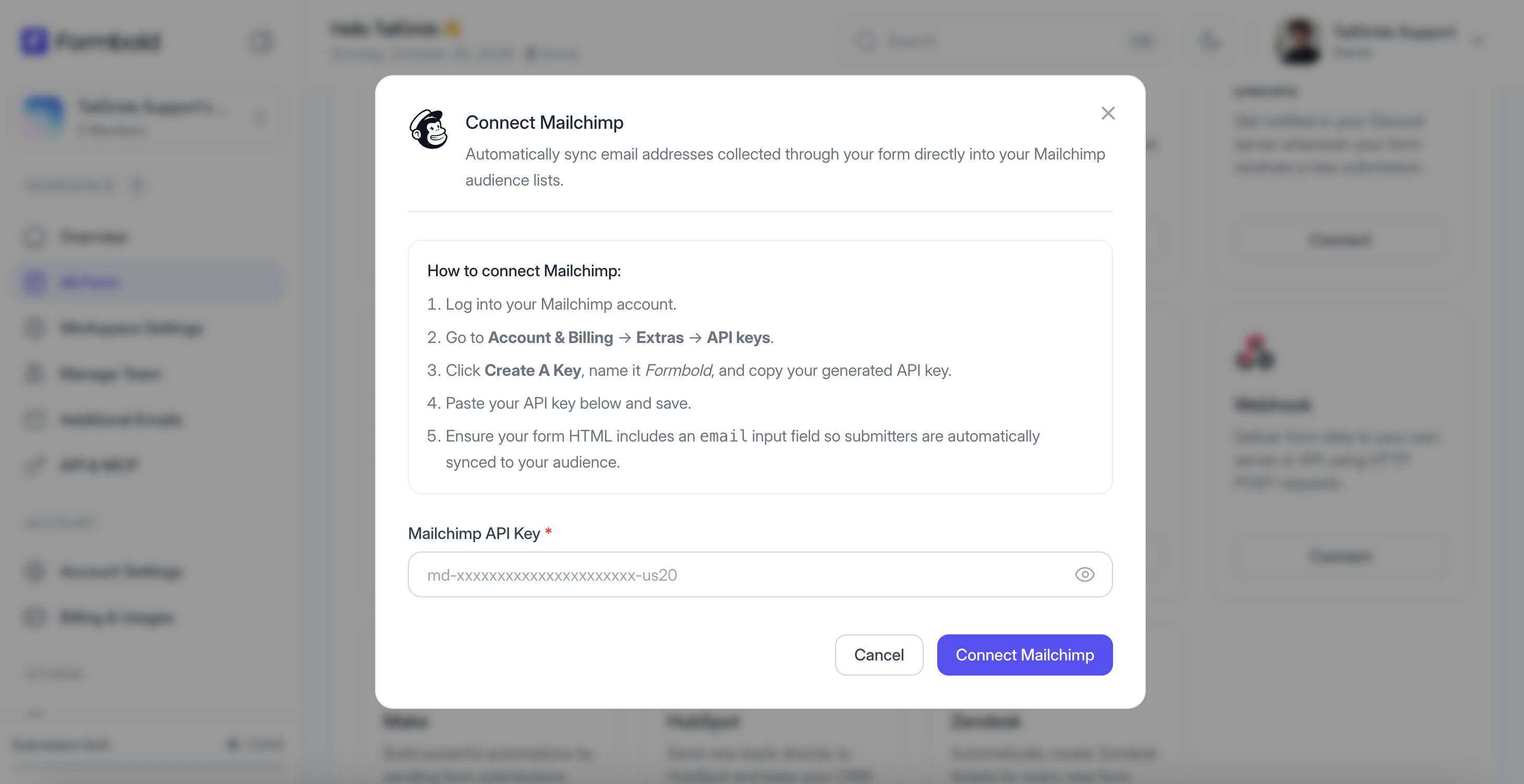
- Paste your Mailchimp API Key.
- Select the target Audience list from the dropdown.
- Map your form fields to the appropriate Mailchimp merge tags.
- Click 'Save'.
Testing
Submit an email through your form and check your Mailchimp Audience dashboard to confirm the subscriber was added with 'Subscribed' status.
Last updated: September 10, 2026