Documentation
Discord Integration
Send clean, rich embed notifications into your Discord server channels using webhooks.
Overview
Keep your developer or community team in the loop by sending styled rich embeds to any Discord channel whenever a visitor submits a contact form, bug report, or feedback survey.
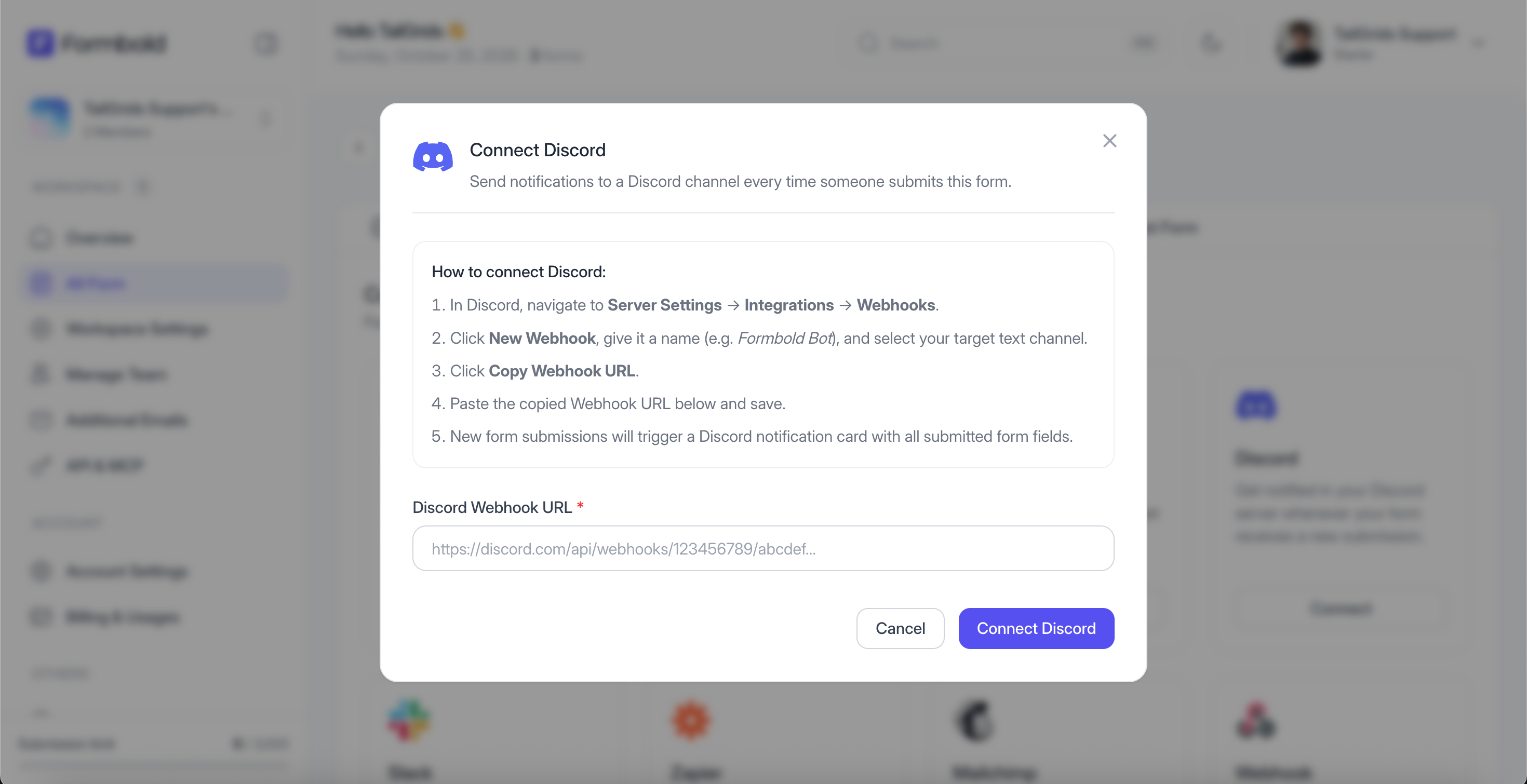
Step 1: Create a Discord Webhook
- Open Discord, navigate to your server, and click the server dropdown menu > 'Server Settings'.
- Select 'Integrations' from the left sidebar and click 'Webhooks'.
- Click 'New Webhook' or 'Create Webhook'.
- Name the bot (e.g., 'Formbold Bot') and choose the destination channel (e.g., #form-leads).
- Click 'Copy Webhook URL'.
Step 2: Connect Discord in Formbold
- In Formbold, navigate to your form's 'Integrations' tab.
- Locate 'Discord' and click 'Configure'.
- Paste your copied Discord Webhook URL into the field.
- Click 'Save & Connect'.
Step 3: Test the Integration
Submit a test form from your website. You will see an embed appear in your Discord channel displaying the submission fields and timestamp.
Last updated: September 10, 2026