

A sudden wave of spam submissions can turn your website's contact form into a mess. Genuine inquiries get buried, and your team wastes time filtering fake leads. Then, you start looking for ways to protect your forms. And that's when the hCaptcha vs reCAPTCHA debate comes up. But do you really need a separate CAPTCHA service to stop spam?
At FormBold, we have a very simple and unique approach. We have our own built-in spam protection. You don’t need other third-party tools to stop malicious activities. It adds up when you build the form. So, you manage your website forms in your own backend without a separate CAPTCHA integration.
But if you have used other form builders, you must add the CAPTCHA services to keep your website safe. Here, I will compare the features, pros, and cons of hCaptcha and reCAPTCHA. You will get my recommendations too. So, you can choose the CAPTCHA service you need right away.
hCaptcha vs reCAPTCHA: Quick Comparison
| Feature | hCaptcha | Google reCAPTCHA |
|---|---|---|
| Best for | Privacy-conscious websites and bot protection | Google ecosystem integration and low-friction verification |
| Bot detection | Challenge-based and risk-based protection options | Risk-based analysis and multiple verification methods |
| Privacy | Emphasizes data minimization and privacy-focused verification | Processes user signals under Google's privacy and data-processing terms |
| User experience | Some visitors may need to complete image or other challenges | Can offer invisible or low-friction verification, depending on configuration |
| Free plan | Available | Available, with usage limits depending on the tier |
| Paid plans | Pro and Enterprise options | Paid options for higher usage and advanced requirements |
| Integration | Web API and supported integrations | Broad integration options within Google's developer ecosystem |
| Ideal choice | When privacy and bot protection are priorities | When low-friction verification and Google integration matter |
TLDR;
Go with hCaptcha if privacy-focused verification is your priority. Consider Google reCAPTCHA if you want risk-based verification and convenient integration with Google's ecosystem. Before deciding, compare the providers' current pricing, data-processing terms, and performance on your own forms.
What Is hCaptcha?
hCaptcha is a privacy and bot detection system. It helps to remove and ban unwanted activity from the website. You can track spammy and bot-created traffic and remove it. The service is from a company called Intuition Machines, Inc. It prevents fake registrations, abusive requests, and unwanted traffic from your website.
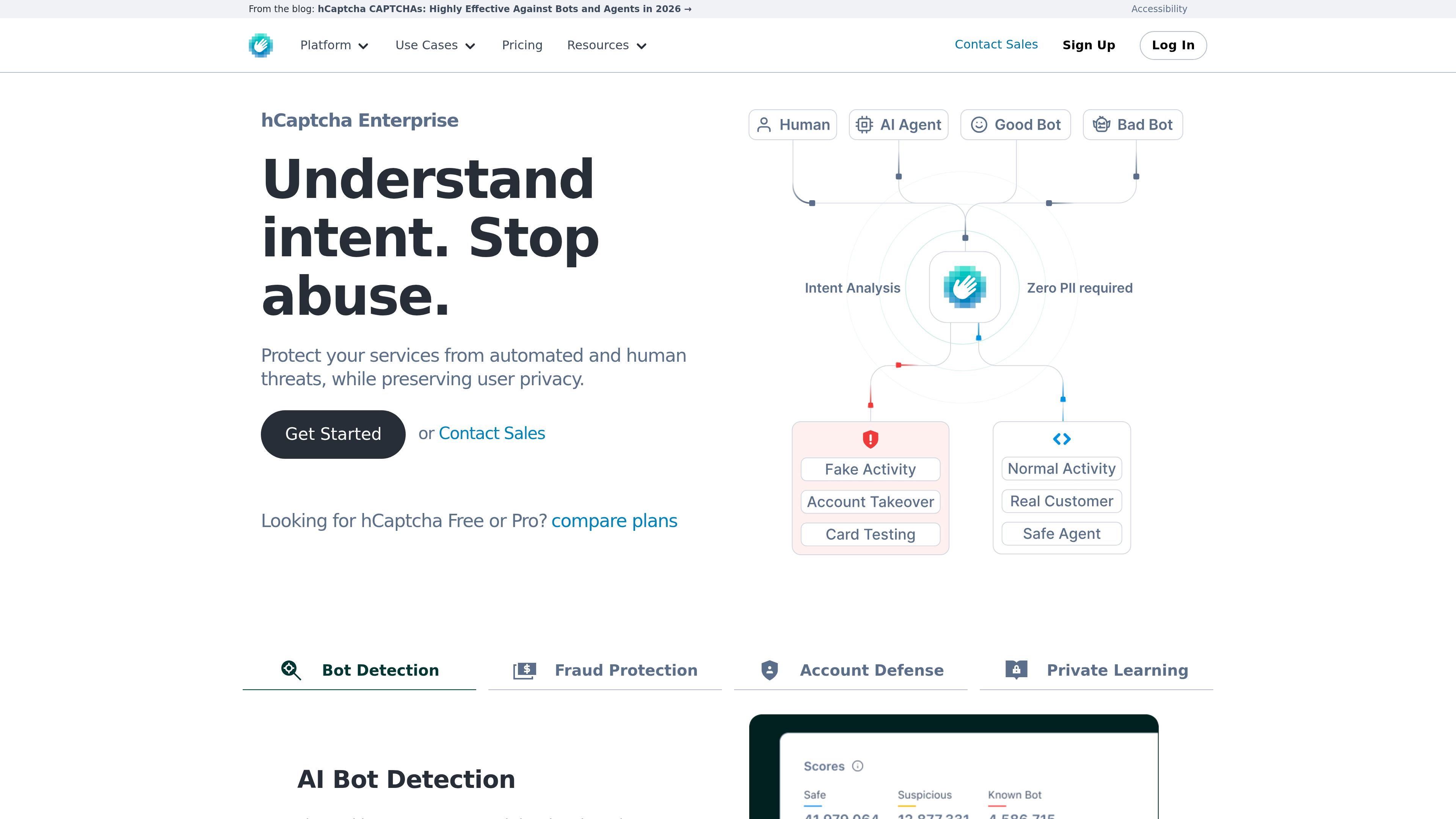
You can simply add it to your website's form and login pages. It creates an extra layer of protection for your website. Therefore, you can check who is sending the request, a bot or a real human.
Unlike the basic spam filters, hCaptcha evaluates the signals of the interactions. Website owners can use it as their broader security system. Many websites also use hCaptcha as an alternative to Google’s CAPTCHA service.
Key Features of hCaptcha
- Spam and bot prevention: Reduces automated form submissions, abusive account creation, and bot-created fake accounts.
- Zero-PII & Privacy Architecture: Works with IP blinding, strict data minimization, and no cookie collection structure. That’s why it complies with GDPR, CCPA, LGPD, and PIPL.
- AI & Agent Verification: Easily detects and removes AI-created scripts, vision language models, and credential stuffing.
- Different Challenge-based verification: Based on the level of risk assessment, it creates interactive challenges. Adds image selection and other tasks when needed.
- Integration options: You can implement it easily with the web API and other available integrations.
- Global-edge networking: It is deployed in 200+ low-latency networks across different regions. It also works in restricted areas like China.
hCaptcha Pricing
hCaptcha offers different pricing plans for different users. You can use the free plan if you need very little support as well. It totally depends on your budget, traffic, and commercial needs. A free option is more than enough for a personal website. But if you have a small or medium business, you must go for the premium plans. It will be worth every penny. Here are the pricing plans of hCaptcha:
- Free: $0/month
- Pro: $139/month
- Enterprise: Talk to customer support
Pros and Cons of hCaptcha
Pros
- Alternative to Google's CAPTCHA service
- Useful for reducing automated submissions
- Integration options for different websites
- Enterprise options are available
- Privacy-focused positioning
Cons
- Image challenges can frustrate some visitors
- Incorrect configuration can weaken protection
- Some implementations require development work
- Advanced requirements may involve paid plans
- Still requires privacy and data-processing review
What Is Google reCAPTCHA?
reCAPTCHA, or Google’s reCAPTCHA, is a free bot-detection system. And as we all know, it is a system from Google. The privacy system is fully free to use. You can simply add it to your website or forms without any cost.
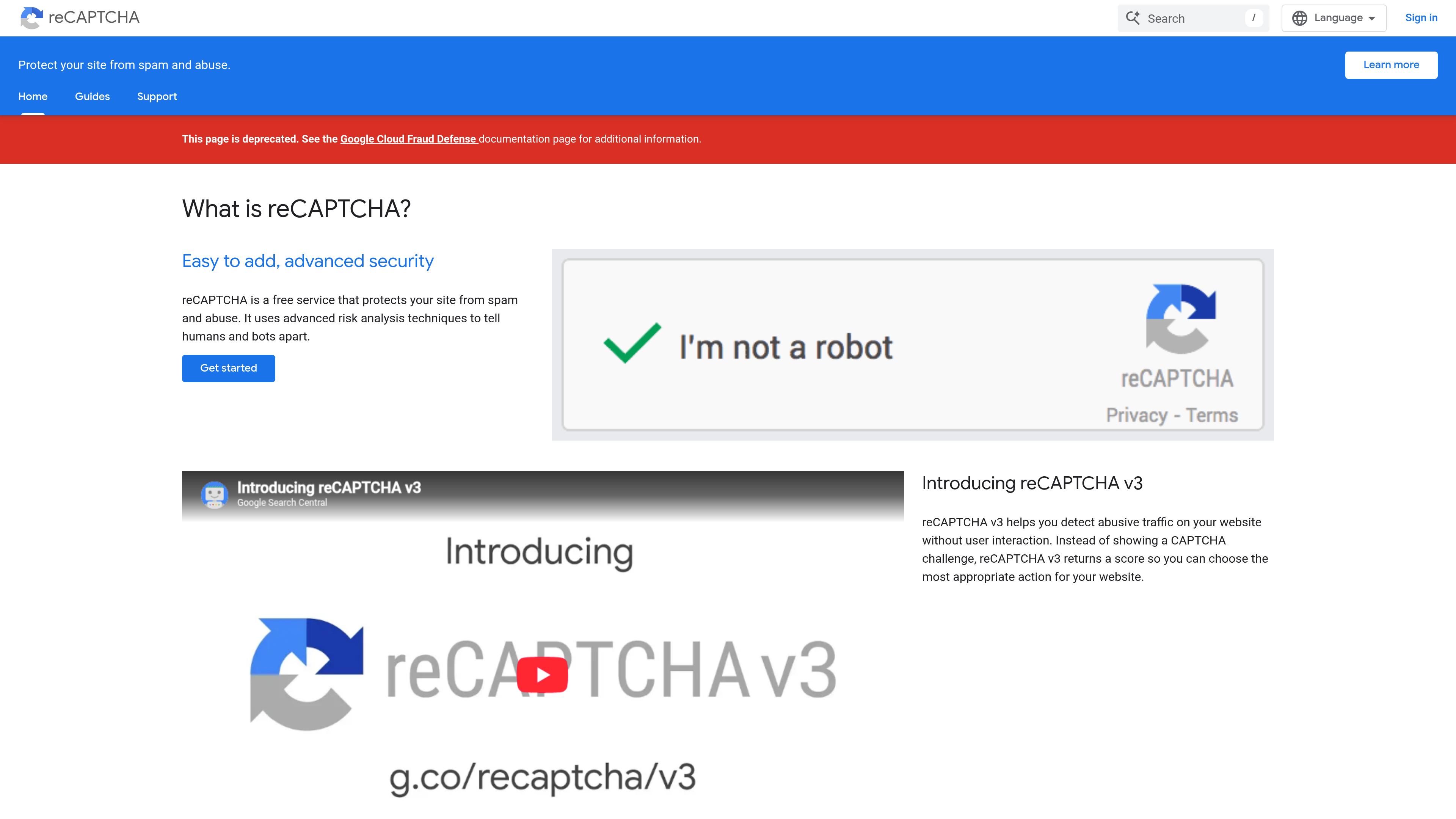
And as a free service, the bot and spam detection is slightly poorer than hCaptcha. Anyway, reCAPTCHA also prevents spam and bot attacks or activities. But it provides a very different verification experience.
The privacy system uses risk signals to find legitimate visitors. Depending on the configuration, reCAPTCHA gives a checkbox, an image challenge, or no challenge at all. Surprisingly, many AI bots can actually pass Google’s reCAPTCHA easily. So, even though it is still a popular choice, reCAPTCHA is not fully reliable for highly secure websites.
Key Features of reCAPTCHA
- Risks and Behavioural Analysis: Uses risk and other behaviours of the user to detect suspicious activities.
- Session tokens and Actions: reCAPTCHA uses session tokens and action levels. It helps to assess user interaction and find bots.
- Interstitial Challenge Pages: If there is any suspicious activity, reCAPTCHA adds additional verification pages. But mostly it adds another checkbox or image boxes.
- Verification from Backend: Allows the servers to verify reCAPTCHA tokens. The servers can assess verification results before processing requests.
- Managing with Google Cloud: Comes with tools to configure and manage reCAPTCHA from Google Cloud. You can monitor usage, manage settings, and review risk assessments.
Google reCAPTCHA Pricing and Free Usage
Google’s reCAPTCHA is comparatively cheaper than hCaptcha. It is one of the reasons small to medium businesses and service providers use it. You can add reCAPTCHA to your website forms for free too. If you need, you can go for the premium plans too. Still, it is cheaper than hCaptcha. Here is the pricing of reCAPTCHA:
reCAPTCHA Essentials: Free: Up to 10,000 assessments
reCAPTCHA Premium:
- 1 - 10,000 assessments: Free
- 10,001 - 100,000 assessments: $8.00
- More than 100,000 assessments: $1.00 per 1,000 assessments
reCAPTCHA Enterprise: $1 per 1,000 assessments (Fixed monthly volume)
Pros and Cons of reCAPTCHA
Pros
- Multiple verification approaches
- Score-based assessment can reduce visible friction
- Broad adoption and integration options
- Enterprise options for advanced requirements
- Fits into Google's developer ecosystem
Cons
- Privacy implications require careful review
- Score-based implementations need thoughtful configuration
- Image challenges can inconvenience visitors
- Usage and pricing terms may affect total cost
- May be less suitable for teams seeking to avoid Google services
hCaptcha vs reCAPTCHA: 5 Key Differences
Both hCaptcha and reCAPTCHA are popular services to prevent bots and suspicious attacks. They help to keep your website safe and secure. Yet, the best choice for your website should be different. Here is a quick view of hCaptcha vs reCAPTCHA. The differences will help you pick the one you need.
1. Bot Detection and Spam Prevention
Both hCaptcha and reCAPTCHA help you detect bots and unwanted activities. But obviously the process and configuration vary. hCaptcha offers challenge-first verification and passive protection capabilities. It combines humanity verification with semi- and self-supervised machine learning. hCaptcha says it prevents 98% of the attacks on regular use.
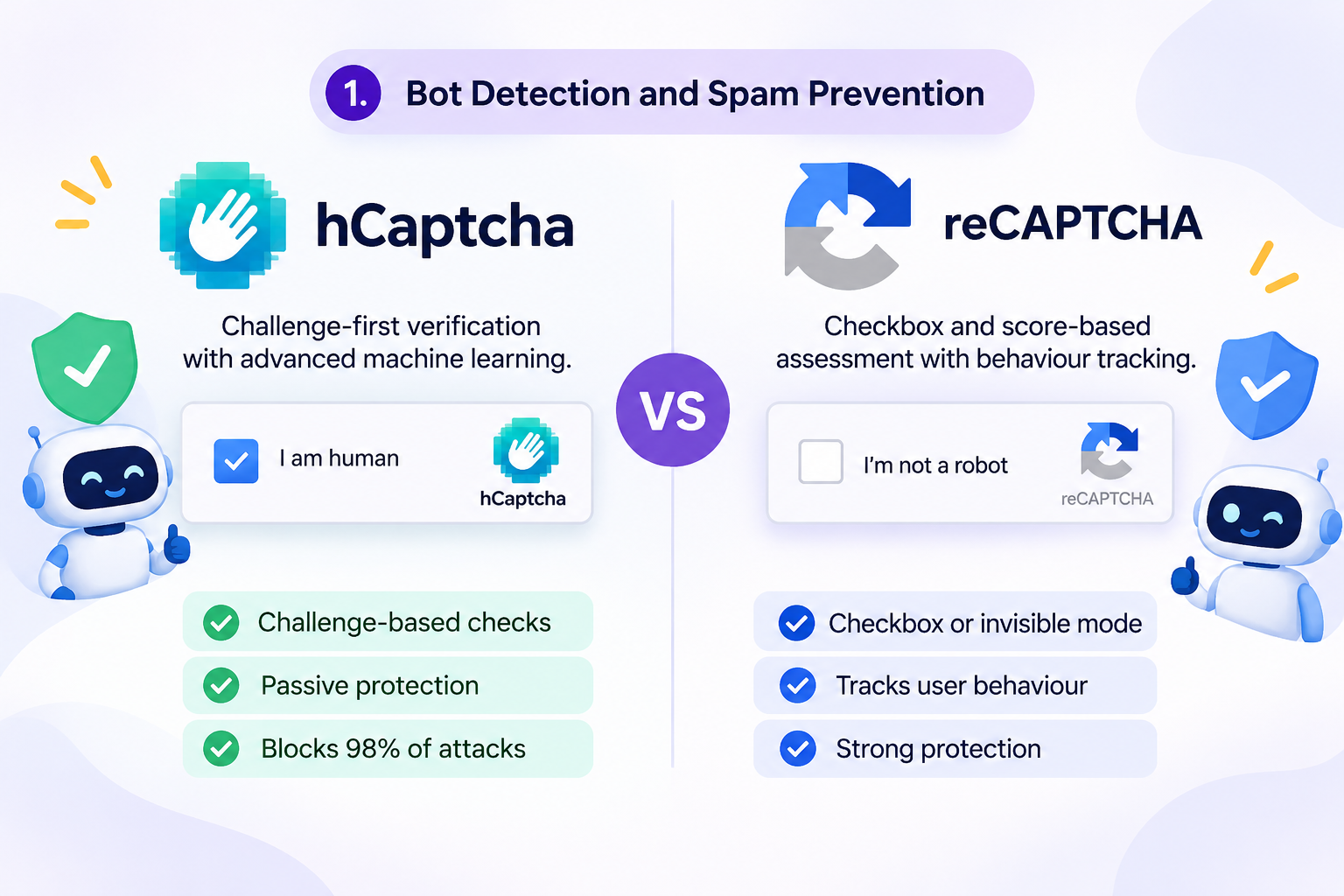
On the other hand, Google’s reCAPTCHA offers checkbox and score-based assessment. It also tracks user behaviour. It also offers better protection for your pricing model.
2. Privacy and Data Collection
hCaptcha depends on data minimization and privacy-focused bot detection. The privacy guide shows the types of information it may need or collect. The information includes technical information and user signals to prove human verification.
Besides, reCAPTCHA also processes users' information to detect their behaviour. And based on the user behaviour and pricing plans, the platform creates a checkbox or image verification step. According to Google’s documentation, reCAPTCHA uses the necessary cookies.
3. Pricing and Usage Limits
In terms of pricing and usage limits, Google’s reCAPTCHA is always a winner. It has very easy and cheap pricing. While the pricing is low, reCAPTCHA never compromises on the quality.
On the other hand, hCaptcha offers good pricing too. If you have the budget and need stronger protection for your website, hCaptcha is the option you should choose.
In addition to that, both privacy services have free plans. So, you can use it if that meets your requirements.
4. User Experience and Form Conversions
CAPTCHA not only prevents bots. But also it makes the real users work harder. And eventually it leads to low conversions many times.
If you are on a free plan, your users will have to face the challenges. But if you are on the paid plan, both hCaptcha and reCAPTCHA can assess user behaviours and skip the challenges. In this way, both security options can improve the user experience and form conversions.
5. Customization and Scalability
hCaptcha and reCAPTCHA both offer customization and scalability features. If you have a small business like me, you can go for the free plan. But I prefer the medium tier plan to integrate in my forms. It gives full protection and improves the user experience too.
Not only that, I can scale the plan whenever I need. But there are some factors you need to consider while evaluating scalability:
- Expected request or assessment volume.
- Whether passive or risk-based protection is required.
- The ability to tune verification for different actions.
- Monitoring, analytics, and administrative controls.
- Support commitments and service-level requirements.
- Total cost as traffic increases.
Which CAPTCHA Is Best for Different Website Forms?
The CAPTCHA you need depends on your forms and the security you want. The right choice will reduce spam and improve the user experience. I have also been using different CAPTCHA’s for my different website forms. I prefer using both hCaptcha and reCAPTCHA for different tasks. Here’s what I think you should use:
Contact and Quote Request Forms
For contact and quote request forms, I use hCaptcha. Contact and quote forms are the common targets for spam submissions and inquiries. That’s why I prefer the high security and better protection.
Google reCAPTCHA can also be a good option here. But you have to use the enterprise plan. It will give you better security and control.
Newsletter Signup and Lead-Generation Forms
The newsletter and sign-up forms are also common targets for spammy e-mails and attacks. But I prefer Google’s reCAPTCHA for the forms. Why? Because the paid plan of reCAPTCHA assesses spam activities with minimal interaction. So, it can track the user’s behaviour and prevent attacks.
In addition to that, you can use the hCaptcha here too. But spending hCaptcha’s paid plan tokens on newsletter forms is not worth the money to me.
Login, Registration, and Password Reset Forms
Login and registration forms must be highly secured and protected. If there is any breach in the section, it will not only break your website's privacy. But also, it can void the privacy of other customers and leak personal information. That can bring you trouble you could never think of.
So, for my website’s login, registration, and password reset forms, I prefer Google’s reCAPTCHA. It gives me better control to manage the security. Along with that, reCAPTCHA assesses user interactions and cookies. Thus, before the attack can begin, it can stop the bot or automated activity.
E-commerce Checkout Forms
Ecommerce checkout forms also need high protection. Otherwise, malicious activities can place automated orders and cause inventory abuse. As a result, it will disrupt the actual purchasing experience of other customers.
That’s why, for eCommerce checkout forms, I prefer to use reCAPTCHA. It will track the cookies of the customer and use the activity data too. Therefore, the CAPTCHA will help you create a better experience for your users.
WordPress Websites and Website Builders
When you are building a WordPress website or a website builder, you need better compatibility with easy implementation. That’s why many WordPress users choose Google reCAPTCHA. Other than that, many WordPress plugins are supported by reCAPTCHA. Hence, it is a simple choice to make. Just integrate and use reCAPTCHA.
SaaS Applications and High-Traffic Websites
I recommend using reCAPTCHA for SaaS and high-traffic websites. SaaS and high-traffic service websites need better user satisfaction and experience. Using hCaptcha might break that a little bit. Not that it is not good for SaaS websites. If you want strong bot detection, you can use hCaptcha.
But if you want a better experience, easy customer navigation, and strong protection with less visibility. Then reCAPTCHA is the best option.
hCaptcha vs reCAPTCHA: Which Is Better for Privacy?
When the question is hCaptcha vs reCAPTCHA in terms of privacy, hCaptcha wins. It has data minimization and many privacy-focused features. Not only that, hCaptcha has features to limit the information when the service is shared. It leaves no open breach to track or hack your website's data. So, you can feel fully secure and safe with the service.
Also, hCaptcha offers a strong bot detection feature. It tracks automated activity and bots very efficiently. Thus, your website stays safe from malicious bot attacks as well.
On the other hand, Google’s reCAPTCHA is also good at privacy. It provides bot and spam protection too. It is governed by Google’s data processing terms and privacy requirements. Hence, it might look at browser protection, user interactions, and other data.
You can check and review hCaptcha's privacy policy and Google reCAPTCHA documentation before deciding.
Quick Verdict: Which Should You Choose?
- Best for privacy-conscious websites: hCaptcha. For its privacy-focused approach and available data-minimization options.
- Best for Google ecosystem integration: Google reCAPTCHA, with integration with Google Cloud and related services.
- Best for low-friction user experiences: Google reCAPTCHA, for risk-based verification that can avoid visible challenges in supported configurations.
- Best for enterprise security requirements: Both are worth considering. Compare their detection capabilities, customization, scalability, pricing, and data-processing terms to find the right fit.
How to Add CAPTCHA to a FormBold Form
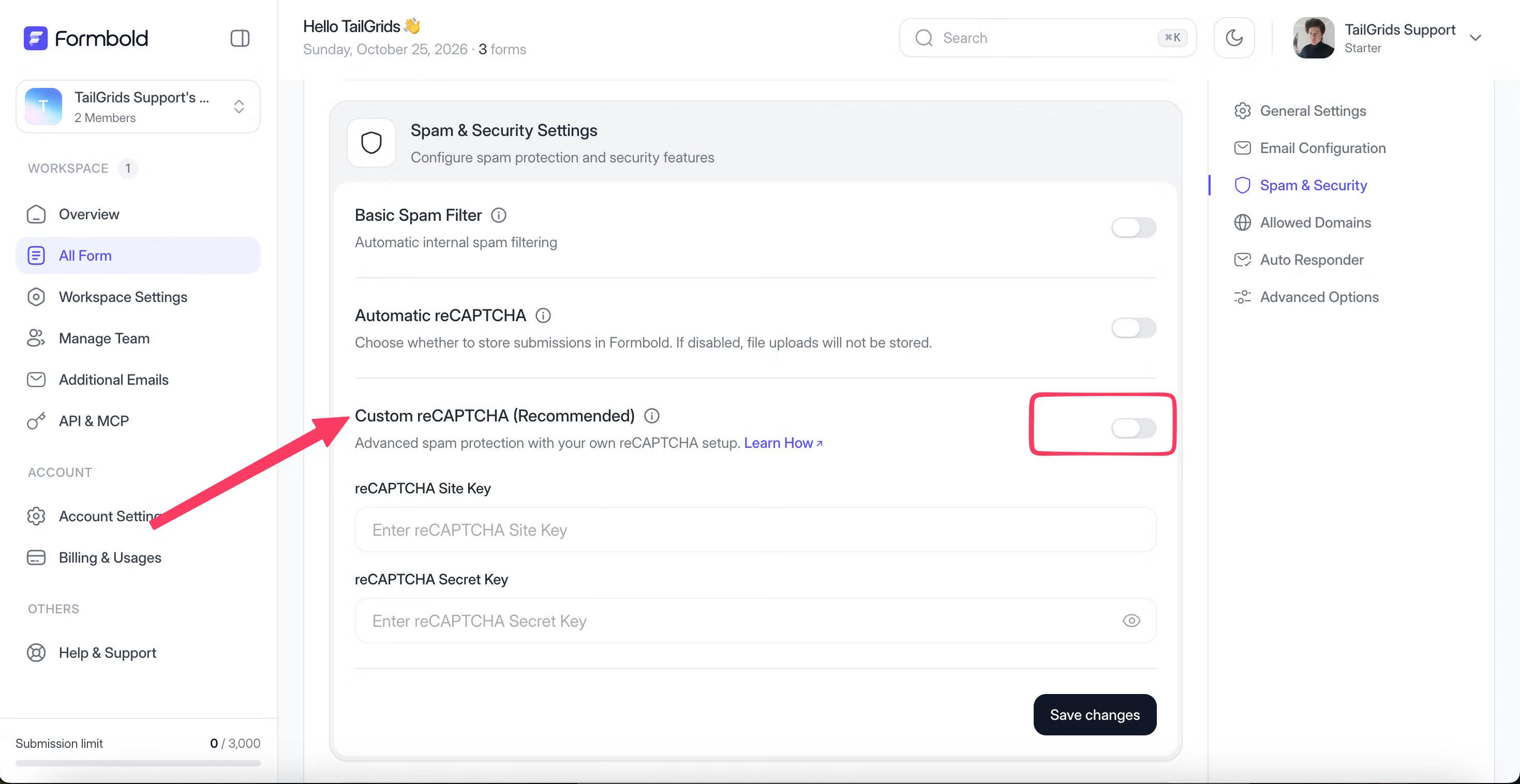
FormBold offers a Basic Spam Filter, Automatic reCAPTCHA, and Custom reCAPTCHA options in a form’s Spam & Security settings. The built-in filter is a useful first step. Just choose a reCAPTCHA option when your use case calls for it.
Adding a CAPTCHA to FormBold forms is like walking in the park. It is very easy to use and even manage. You will need very few steps to complete. Here are the steps you need to follow:
Step 1: Create or Open a Form
First, you need to log in to your FormBold account. In the side navigation bar, you will see all the sections you need. Then click on the “All Forms” button. It will show the forms you already have. You can make changes to those too. But for now, I will click on the “Create New Form” button at the top right corner. It will create a new form for you.
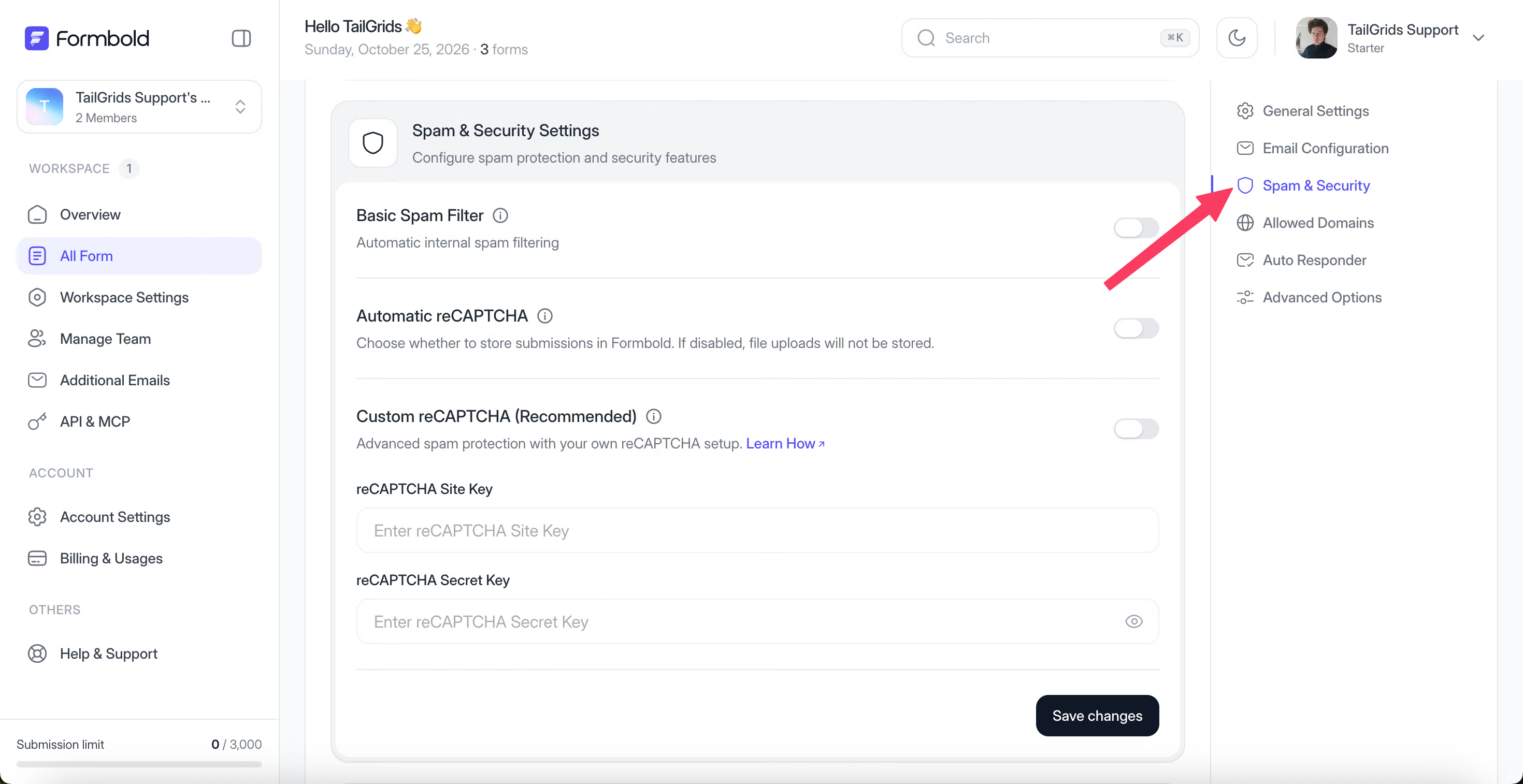
Step 2: Open Spam & Security
After creating the form, you can simply go to the settings. There you will find three spam protection options: Basic Spam Filter, Automatic reCAPTCHA, and Custom reCAPTCHA. You can use any of those for your forms. The Basic Spam Filter and Automatic reCAPTCHA will check the submissions without setting anything up.
Step 3: Add Keys if You Use Custom reCAPTCHA
If you want better protection, you can go for the custom reCAPTCHA. For that, you will need the reCAPTCHA site and secret key. Once you toggle the button, you can add those in the forms. It will integrate with Google reCAPTCHA instantly.
You can get the full step-by-step process of adding the keys in our FormBold Docs.
Frequently Asked Questions
Is hCaptcha Better Than Google reCAPTCHA?
Not for every website. It depends on your needs. Both hCaptcha and reCAPTCHA have their own functionalities and features. But your needs are different. You must look at your requirements and the safety features you need. It will help you choose the CAPTCHA you want.
What Is the Main Difference Between hCaptcha and reCAPTCHA?
The main difference is in the bot detection, privacy, and pricing. hCaptcha offers stronger bot and spam detection than reCAPTCHA. It also has better privacy than Google’s free alternative. But reCAPTCHA has very good pricing. It is also good at risk and behaviour analysis.
Is hCaptcha Free to Use?
Yes. hCaptcha has a free plan that you can use. But it has very limited features and protection. So, I won’t recommend it for commercial use. You can use it for a personal website or portfolio websites.
Is Google reCAPTCHA Free?
Yes. Google reCAPTCHA has a free plan and two other paid plans as well. The free plan gives you up to 10,000 assessments per calendar month. Hence, you can use it for your small businesses easily.
Is hCaptcha More Privacy-Friendly Than reCAPTCHA?
Arguably yes. hCaptcha gives you more privacy than reCAPTCHA. hCaptcha never takes your session tokens or cookies. But reCAPTCHA uses them to make the service better.
Final Words
The comparison of hCaptcha vs reCAPTCHA shows both can protect your website from bot attacks. You get full privacy and protection from both CAPTCHA services. hCaptcha stands out as the best privacy-focused one. And reCAPTCHA stands out as an affordable option with better integration.
But choosing which one you need to use is the real catch. You have to consider your traffic, security risks, and budget. Then you have to review the provider's features. Here I have mentioned my recommendations above. You can consider it too to make your decisions easier and faster.