grid-border

Site Form to HubSpot - HubSpot CRM Integration

Send leads from your own HTML forms into HubSpot CRM. Each submission creates or updates a contact with the name, email, phone, and company your visitor entered. You keep your form design and skip HubSpot's embed code.

HubSpot

Integration Overview

The HubSpot integration turns form submissions into contacts in HubSpot CRM. When someone fills out your contact, demo request, or consultation form, their details appear in your HubSpot Contacts list.

HubSpot calls forms that are not built in HubSpot "non-HubSpot forms". FormBold lets you use one of those, a form you designed yourself, and still send every lead to your CRM.

It works with plain HTML forms, static sites, and apps built with Next.js, React, Vue, or Angular.

How It Works

  1. A visitor submits your form.
  2. FormBold runs its spam checks and allowed-domain rules.
  3. If the submission passes, FormBold saves it to your dashboard and sends the mapped fields to HubSpot.
  4. The contact appears in your HubSpot Contacts dashboard.

If HubSpot does not accept a delivery, FormBold retries it automatically. Your email notifications and other integrations keep running.

How to Connect Your Form to HubSpot

Step 1: Authorize HubSpot

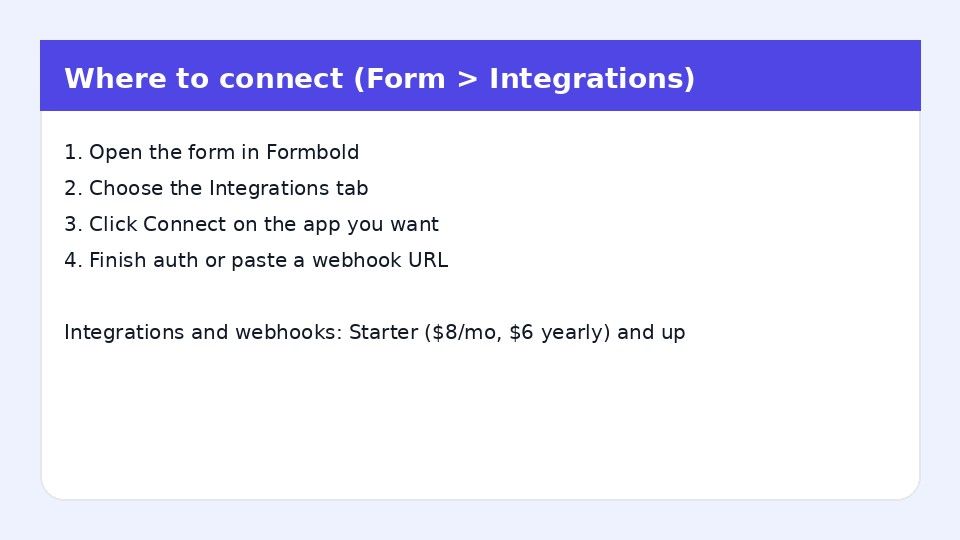
  1. Open your form in FormBold and go to the Integrations tab.
  2. Click the HubSpot card, then click Connect App.
  3. Log in to HubSpot and select the account (portal) you want to use.
  4. Allow FormBold to create contacts.

Step 2: Map your fields

  1. Back in FormBold, match each form input to a HubSpot contact property.
  2. Click Save Configuration.

Step 3: Test it

Submit a test entry from your website. Open Contacts in HubSpot and check that the new contact has the values you entered.

Common Uses

  • Contact and quote forms: Every inquiry becomes a CRM contact your sales team can follow up on.
  • Demo and consultation requests: Prospects land in HubSpot ready for your sales process.
  • Landing page lead capture: Keep lightweight custom forms on your pages and still collect leads in HubSpot.

Frequently Asked Questions

Can I use my own HTML form with HubSpot?

Yes. That is what this integration is for. You design the form, and FormBold sends the data to HubSpot.

Do I need the HubSpot Forms API?

No. You connect HubSpot by logging in through FormBold. You do not write API code.

Which fields can I send?

First name, last name, email address, phone number, and company.

What happens if the contact already exists?

FormBold updates the existing contact instead of creating a duplicate.

Will spam create junk contacts?

FormBold checks each submission for spam before sending it to HubSpot, so blocked submissions never reach your CRM.

Start building automated forms in 60 seconds

No backend required. Just paste your endpoint and start receiving leads, messages, and submissions immediately.