

Formbold's built-in integrations cover the common tools. Zapier covers the long tail: the CRM nobody else supports, the invoicing tool, the internal spreadsheet with three filters on it.
How the trigger works
You create a Zap that starts with Webhooks by Zapier and the Catch Hook event. Zapier gives you a URL. Formbold sends each submission there, and the fields show up as trigger data for the next steps.
| Zapier | Formbold |
|---|---|
| Catch Hook URL | Pasted into the Zapier card |
| Trigger data | Submission fields |
| Next steps | Any Zapier-supported app |
Zaps worth building
- Form to a CRM with a find-or-create step, so repeat visitors don't become duplicates.
- Form to Google Sheets and Slack in the same Zap, when you want both.
- Form to an email tool that Formbold doesn't connect to directly.
Setting it up
- In Zapier, start a Zap with Webhooks by Zapier > Catch Hook and copy the URL.
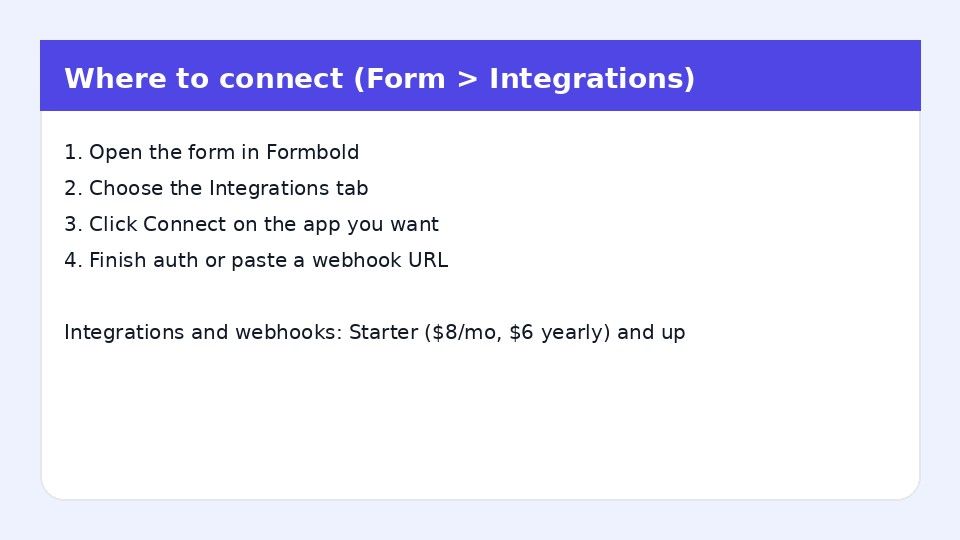
- In Formbold, open the form's Integrations tab, click Connect on Zapier and paste it.
- Submit a test entry, then pull it in from the Zap editor's test step.
Webhooks by Zapier is a premium app on Zapier's side, so check your Zapier plan before you start.
Formbold plan
Starter or higher. Starter is $8 a month. Pay yearly and it drops to $6 a month.
Questions
Is there a native Formbold app in Zapier?
The connection runs through a Catch Hook URL, which you paste in the Integrations tab.
Zapier or a plain webhook?
If you're writing code anyway, a plain webhook skips a hop. Zapier is for when you'd rather click than code.
The Zapier setup guide has screenshots of both sides.