

Make suits people who want routers, filters and a visual map of where data goes. If that's you, start the scenario with a Formbold submission.
What Make receives
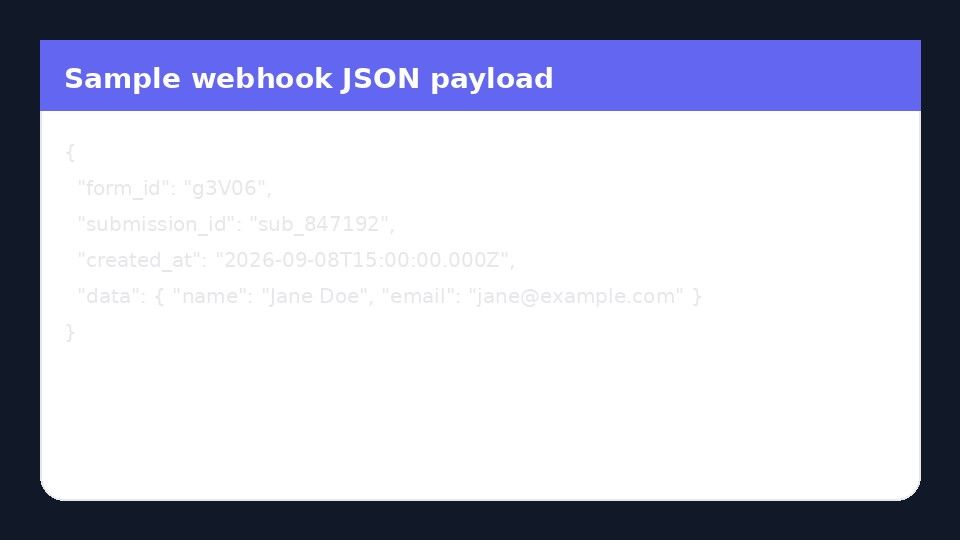
The webhook payload, which Make turns into a bundle. Each form field becomes something you can map in later modules.
| Make | Formbold |
|---|---|
| Custom webhook URL | Pasted in Integrations |
| Bundle data | Submission fields |
| Scenario | Your filters and routers |
Scenarios that come up a lot
- Form to Airtable, then a confirmation email.
- Form to Slack with your own message formatting.
- Form to an HTTP module that calls your API.
Connecting it
- In Make, add a Webhooks > Custom webhook module and copy its address.
- In Formbold, open the form's Integrations tab, click Connect on Make and paste the address.
- Click Redetermine data structure in Make, then send a test submission so it learns your fields.
What it costs
Make is on Starter and higher. Starter costs $8 a month, or $6 a month billed yearly.
A couple of gotchas
My new field isn't showing up in Make. Why?
Make remembers the structure of the first payload it saw. Run Redetermine data structure again and submit a fresh entry.
Make or webhooks?
Make runs the scenario for you. A raw webhook sends the data to a server you run.
Click-by-click steps are in the Make setup guide.