Integration Overview
The Mailchimp integration adds each form submitter to a Mailchimp audience. You no longer need to export leads and import CSV files by hand.
You keep full control of your form's design. There is no Mailchimp embed code to add to your site. Your form posts to FormBold, and FormBold sends the subscriber details to Mailchimp.
It works with plain HTML forms, static sites, and apps built with Next.js, React, Vue, or Angular.
How It Works
- A visitor submits your form.
- FormBold runs its spam checks and allowed-domain rules.
- If the submission passes, FormBold saves it to your dashboard and sends the mapped fields to Mailchimp.
- The person is added to your audience with the status "Subscribed".
If Mailchimp does not accept a delivery, FormBold retries it automatically. Email notifications and your other integrations keep running.
How to Connect Your Form to Mailchimp
Step 1: Create a Mailchimp API key
- Log in to Mailchimp.
- Click your profile picture, then go to Account & billing, Extras, API keys.
- Click Create A Key, name it "FormBold", and copy the key.
Step 2: Check your audience fields
In Mailchimp, go to Audience, then Audience dashboard, Manage Audience, Settings, and "Audience fields and merge tags". Confirm the fields you want to fill, such as EMAIL, FNAME, and LNAME.
Step 3: Connect Mailchimp in FormBold
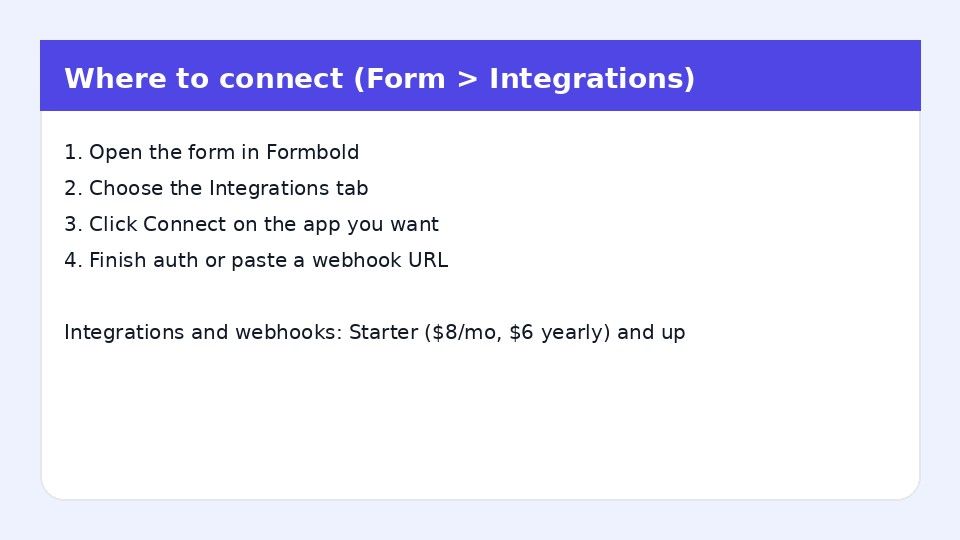
- Open your form in FormBold and go to the Integrations tab.
- Click Mailchimp and paste your API key.
- Select the audience from the dropdown.
- Match each form input to a Mailchimp merge tag.
- Click Save.
Step 4: Test it
Submit an email through your form. Check your Mailchimp audience to confirm the new contact appears as Subscribed.
A simple signup form looks like this:
In FormBold, map first_name to FNAME, last_name to LNAME, and email to EMAIL.
Common Uses
- Newsletter signups: Grow your list from a signup box on any page.
- Waitlists and launch lists: Collect interest before a product launch.
- Contact form leads: Add people who contact you to your marketing audience.
- Downloads and lead magnets: Capture an email before sending a guide or resource.
Frequently Asked Questions
Can I use my own form instead of Mailchimp's signup form?
Yes. You build the form in your own HTML or framework. FormBold sends the data to Mailchimp.
How do I connect FormBold to Mailchimp?
With a Mailchimp API key. You create it in your Mailchimp account settings and paste it into FormBold.
Which audience do new contacts go to?
The one you select during setup.
Which fields can I send?
Any audience field that has a merge tag, such as EMAIL, FNAME, and LNAME. You match them to your form inputs in FormBold.
Do spam submissions get added to my list?
No. FormBold checks each submission for spam before sending it to Mailchimp.